How to show your car wash queue on a TV, step by step
A visible queue calms customers and saves your team from repeating the same answer. Here is the quickest way to set it up.
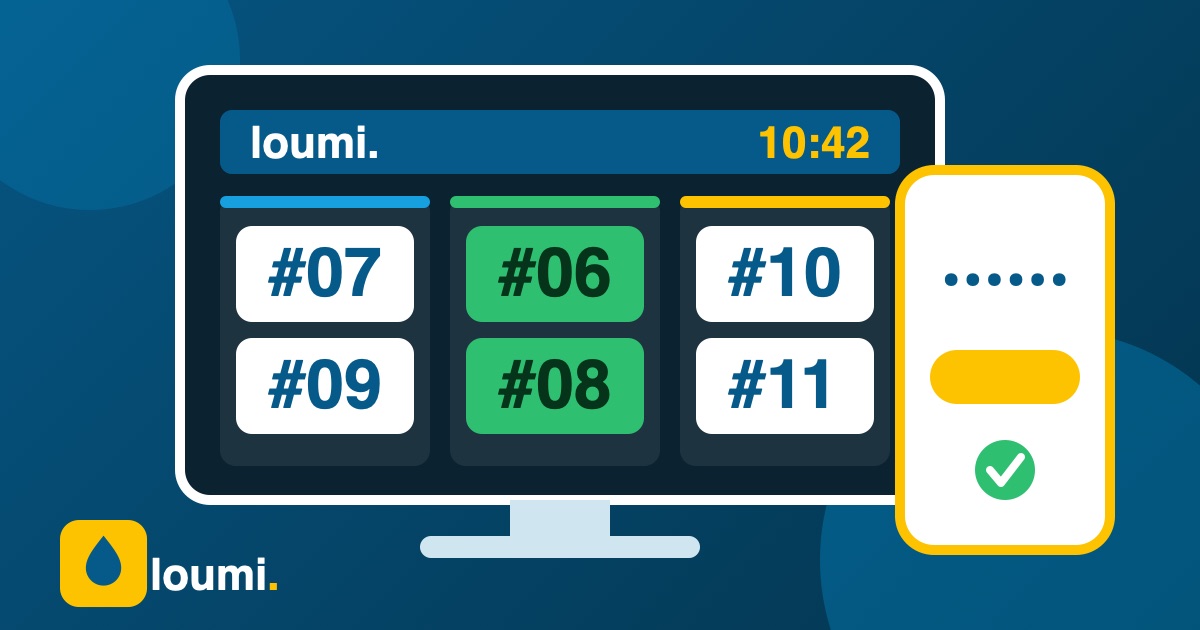
1. Pick the screen and the spot
Any TV with a web browser works, or a cheap streaming stick, or a tablet on a stand. Place it where people wait, not inside the wash bay, and make sure it is also visible from the payment counter.
2. Open your private link and connect
In Loumi go to More, then TV screen, and copy your link. Open it in the TV browser, type the access code and leave the page open. The board reconnects on its own after a power or internet cut.
3. Decide what customers can see
Show turn numbers only if you worry about privacy, partly hidden plates for a good balance, or full plates if your customers prefer it. Then ask your team to call the turn number when a car is ready.
Keep reading
 Guides
Cash reconciliationA simple step-by-step method to close the cash register at your car wash, find differences and keep your numbers honest.
Guides
Cash reconciliationA simple step-by-step method to close the cash register at your car wash, find differences and keep your numbers honest.
 Guides
Reduce wait timesPractical ways to shorten the line at your car wash: turn numbers, clear states, time alerts and a better flow between host and cashier.
Guides
Reduce wait timesPractical ways to shorten the line at your car wash: turn numbers, clear states, time alerts and a better flow between host and cashier.
 Guides
Pricing your servicesLearn how to set prices for your car wash: know your costs, build packages, use add-ons and review prices without losing customers.
Guides
Pricing your servicesLearn how to set prices for your car wash: know your costs, build packages, use add-ons and review prices without losing customers.
